The constraint
Two kilobytes, and nothing you have to install
The competing libraries are 30 KB and up, and several pull a WASM codec behind them. That size is why teams keep postponing client side compression and keep shipping upload forms that reject a normal phone photo.
So the budget came first and the features had to fit inside it. Browser primitives only: decode with the platform, draw to a canvas, encode with the platform. The whole core is roughly 450 lines across six files, and the size is the feature. A two kilobyte dependency does not need a meeting.
Never a bigger file
A compressor that can return something larger than its input is broken. Lossy output is capped at the smaller of any explicit size limit and the source itself, found by a binary search over quality.
Auto means best available
AVIF, then WebP, then JPEG, decided by what the browser can actually encode rather than what it claims to support. The probe is memoized once per session.
HEIC without paying for it
iPhone photos are HEIC and most browsers cannot decode them. The WASM decoder loads lazily, only when a HEIC file actually appears, so the core stays codec free for everyone else.
The bet
Isolate the three calls that touch the DOM, then wait
Version 0.3.2 shipped no features. It moved every call that reached for the host environment into one module and left a comment saying why: decode, canvas creation, encode, and capability detection now lived behind four functions, so that a worker backend could be added later with no pipeline changes.
That is a bet. Refactors justified by a future you have not committed to are how codebases accumulate abstraction nobody needed. The only thing that makes it a good bet rather than speculation is whether it comes due, and how cheaply.
It came due in 0.4.0. The platform module now branches on whether document exists and picks one of two backends.
| Step | Main thread | Worker |
|---|---|---|
| Decode | new Image() plus an object URL | createImageBitmap(blob, { imageOrientation: "from-image" }) |
| Surface | document.createElement("canvas") | new OffscreenCanvas(w, h) |
| Encode | canvas.toBlob | canvas.convertToBlob |
| Capabilities | toDataURL probe, synchronous | 1×1 encode and inspect the result, asynchronous |
The compression pipeline, the resize logic, and the public API are untouched. Nothing outside that one module knows which backend is running. The whole change cost 231 bytes gzipped, taking the core from 2.27 KB to 2.50 KB.
I could have hidden that growth behind a separate entry point and kept the headline number at two kilobytes. I did not, and the reasoning is on the record in the changelog: parallel compression is core to what this library is for, and a second entry point would have made it a second class path for every consumer. The README number went up instead of the truth going down.
The landmine
EXIF orientation, and a test that could not fail
Swapping decode is where this kind of change silently breaks. new Image() applies EXIF orientation for free. Raw createImageBitmap historically did not, and the spec changed partway through, so behaviour varies by engine and age. Get it wrong and every portrait photo from an iPhone arrives sideways, which is a worse regression than being slow.
The fix is imageOrientation: "from-image", with a retry that drops the options bag on engines that reject unknown members. The interesting part was testing it.
The capability probe needed the same kind of care. OffscreenCanvas has no toDataURL, so the synchronous trick for asking a browser what it can encode does not exist in a worker. The answer is to encode a one pixel image and look at what comes back, since engines silently fall back to PNG for formats they do not support. That is asynchronous, so the pipeline now awaits capability resolution once before choosing a format. On the main thread it resolves to the same memoized synchronous probe as before, and a host that already knows the answer can inject it and skip the round trip entirely.
The app
A pool sized by memory, not by cores
The library gained the ability to run in a worker. The app is what turns that into throughput: a fixed pool of workers, each holding one job, fed by a queue.
The obvious sizing is hardwareConcurrency. The correct sizing is memory, because every busy worker can be holding a decoded twelve megapixel bitmap. The pool caps at eight, and the dedicated worker that powers the live preview is counted inside that ceiling rather than added on top of it. Otherwise dragging the quality slider during a two hundred file batch opens a ninth simultaneous decode, which on a mid range Android is not slow, it is a crash.
Holding one worker back for the preview is what makes the interface feel instantaneous under load. The slider answers immediately instead of queueing behind a batch, because it never shares a lane with one.
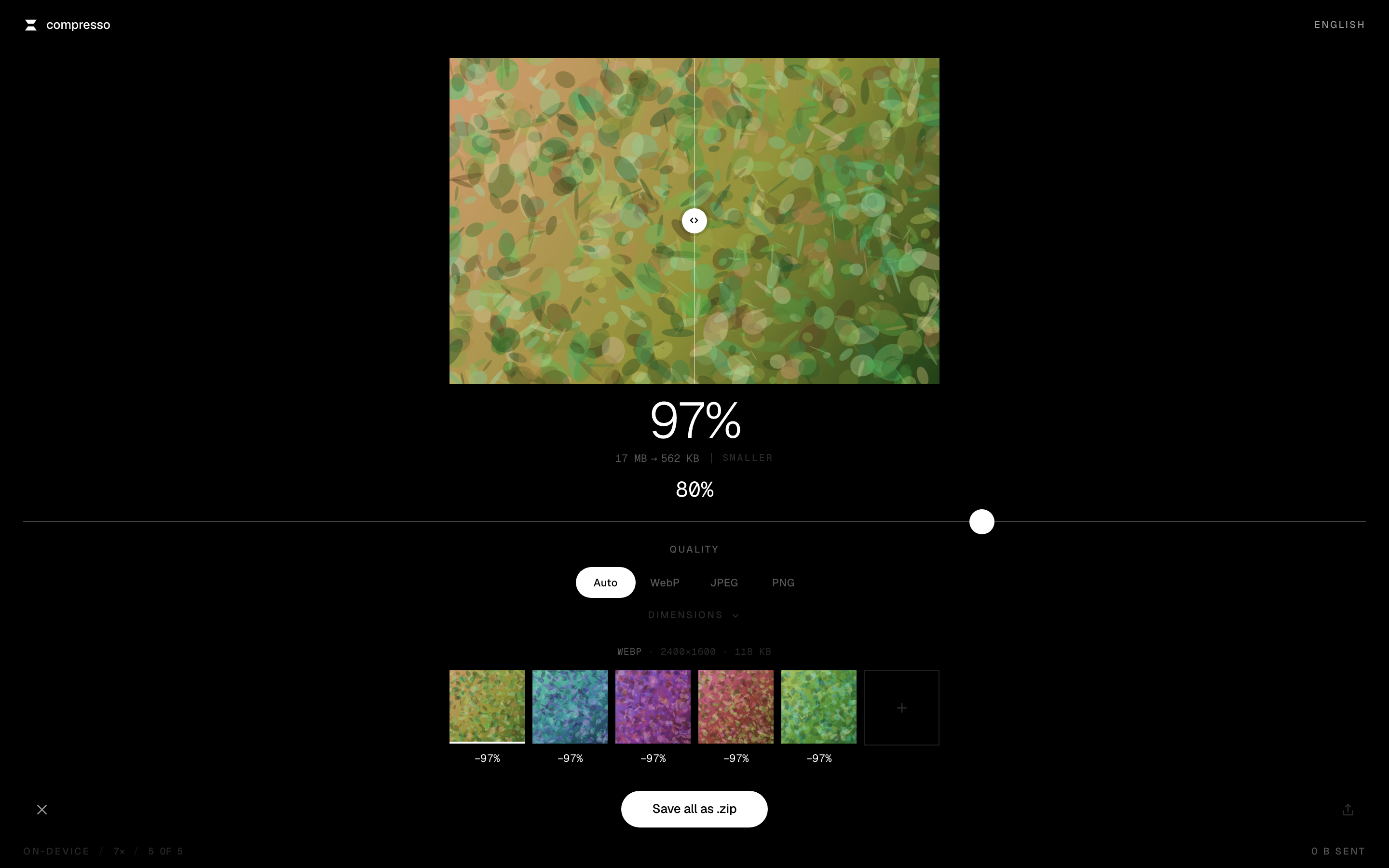
Five files through the pool. The status bar reports the worker count and confirms zero bytes sent.
Capabilities are probed once on the main thread and injected into every worker, so no worker repeats the round trip.
Offline
Two bugs that only appear on the URL you publish
The app is installable and works with no connection. Everything is precached at install: the shell, the fonts, the worker chunk, and the HEIC decoder. That decoder is roughly three megabytes, which I kept deliberately. HEIC is what an iPhone actually produces, and a decoder that needs the network is a decoder that fails exactly when the app promised it would not. It downloads after first paint, so it never delays a cold start.
Mounting the app at a path rather than a subdomain surfaced two failures that a screenshot would never show.
Scope is a string prefix
A scope of
/compresso/does not cover/compresso, because that string does not start with it. The worker registered and precached perfectly while the page serving it stayed uncontrolled. Dropping the trailing slash fixed it, which also meant tighteningService-Worker-Allowedfrom/to/compresso, since that header survives the proxy and the broad value would have let this worker claim an entire personal site.Cached assets, missing shell
Workbox only appends a directory index to URLs already ending in a slash, so a precache keyed by
/compresso/index.htmlanswered nothing for a navigation to/compresso. Every asset was cached and the page that pulls them in was not, which is precisely why it was easy to miss. ANavigationRoutebound to the shell closes it.
What shipping found
Four bugs no amount of reading would have caught
I drove the finished app rather than trusting it. These are the failures that came out of that, and none of them are visible in a code review.
| Symptom | Cause |
|---|---|
| Nothing ever finished processing | The pool was built once and destroyed on unmount while its ref survived. A remount reused a pool whose workers were all terminated. Created lazily now, and nulled on teardown. |
| Save button stuck working forever | The zip path yielded on requestAnimationFrame, which never fires in a backgrounded tab. Switch away mid zip and it stalls. It yields on a macrotask instead. |
| Drag overlay stranded on screen | Release a file outside the window and neither drop nor a final dragleave reliably arrives. dragover fires continuously while a drag is live, so a gap in it is the only trustworthy signal that it ended. |
| Picture vanished on a phone | The comparison view was sized in percentages of a grid row that could itself collapse to zero. It has a floor now, and mobile is one continuous scroll rather than nested scroll areas competing for the same gesture. |
Honest status
What is shipped, and what is not
The worker backend is committed and running in production in the app, which vendors the 0.4.0 source with upstream checksums recorded so the two copies cannot drift silently. The npm package currently serves 0.3.2, so npm i compresso.js today gives you the main thread library without the worker backend. The 0.4.0 publish is a deliberate next step rather than an oversight, and I would rather say that here than let a version number imply something the registry does not yet serve.
The other half
How this was designed
None of the above would matter if the thing were unpleasant to use. The design case study covers the interface: a system I shipped, recognised as generic, and rebuilt around a single thesis, plus the motion rules, the microinteractions, and how seven languages shaped the layout.
Work with me
I build products like this, end to end
This was research, architecture, library, app, seven locales, service worker, and deploy, done by one person. If you need someone who can hold an architectural line at two kilobytes and still ship an interface people enjoy using, I would like to hear about it.
Available for remote work